
AI Tools Every Job Seeker Should Know in 2026

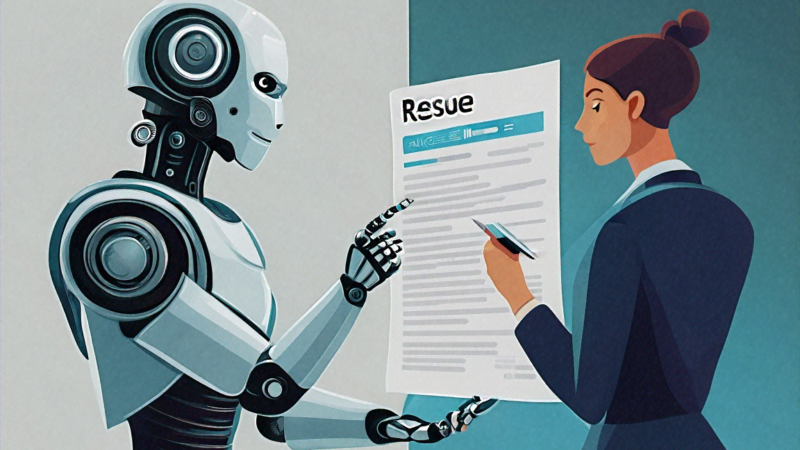
Half of these AI tools are genuinely useful. The other half are overhyped garbage dressed up in slick marketing. And honestly, I’m still figuring out which is which.
That’s my starting position on AI tools for job seekers in 2026. Everyone’s writing about them like they’re magic wands that’ll get you hired tomorrow. “Use this AI resume builder! This AI interview coach! This AI job matcher!” Meanwhile, most people I know who’ve actually landed good jobs recently did it through the boring old combination of networking, targeted applications, and interview preparation. The AI tools helped at the margins, maybe. They weren’t the main story.
But I’m also not going to sit here and pretend AI isn’t changing the job search game, because it clearly is. Some of these tools genuinely save time and improve your chances. I just think you need to know which ones actually deliver and which ones are mostly marketing fluff. So here’s my honest, somewhat skeptical take on what’s out there.
AI Resume Builders: The Ones Worth Your Time
Over 90% of large Indian companies use Applicant Tracking Systems. An ATS is software that scans your resume for keywords, formatting patterns, and relevance to the job description before a human ever sees it. If your resume doesn’t pass the ATS filter, it doesn’t matter how qualified you are. Nobody will read it. This is where AI resume tools earn their keep.
Jobscan. This is probably the most useful single tool on this list. You paste your resume and the job description, and it tells you how well they match. It highlights missing keywords, flags formatting issues that might confuse ATS software, and gives you a percentage match score. I’ve used it myself, and the difference between submitting a resume at 45% match versus one improved to 80%+ match is noticeable in callback rates. The free version gives you limited scans per month. The paid version (around $15/month) gives you unlimited scans and more detailed suggestions. If you’re in an active job search, I think it’s worth paying for a month or two.
Teal. Another solid one. Teal is an AI-powered resume builder that helps you create different versions of your resume tailored to different job postings. It also tracks your job applications in one place, which is surprisingly useful when you’re juggling twenty applications and can’t remember which version of your resume you sent where. The AI suggestions are decent, not amazing, for improving bullet points and quantifying achievements. I think it works best for people who already have a reasonable resume and need help tailoring it, not for people starting from scratch.
Rezi. Specifically designed to pass ATS screening. It uses AI to analyze your content in real-time and flag issues that might get you filtered out. The keyword optimization is good. The templates are clean and ATS-friendly. It’s particularly helpful if you don’t know much about how ATS systems work and need the tool to handle the technical optimization for you.
Kickresume. Uses AI to generate professional resume content based on your job title and experience. I have mixed feelings about this one. The generated content is grammatically correct and professionally worded, but it can sound generic. Where it’s actually useful, from what I’ve seen, is for freshers who struggle to describe their academic projects and internships in professional language. The AI gives you a starting point that you can customize. But if you just use the generated text as-is, experienced recruiters will probably notice that it sounds templated.
My take on AI resume tools overall: they’re most valuable for the ATS optimization piece. Making sure your resume has the right keywords, the right formatting, and passes automated screening. The actual content improvement suggestions are hit-or-miss. Use them for optimization, but write the substance yourself. Or at least heavily edit whatever the AI generates so it sounds like you, not like a language model.
AI Interview Preparation: Where It Gets Interesting
This category has exploded over the past year, and some of it is genuinely impressive while some of it is borderline sketch.
Google Interview Warmup. Free tool from Google. You pick a career field, it gives you common interview questions, you answer them by speaking into your mic, and AI analyzes your response. It identifies topics you covered, spots filler words and hesitation, and suggests areas where your answer could be stronger. For a free tool, it’s surprisingly good. I’d recommend it as a starting point for anyone who hasn’t done a lot of interview preparation. The feedback won’t replace practice with a real human, but it gives you a solid baseline assessment of where you stand.
Pramp. Pairs you with other job seekers for mock technical interviews, and now has AI-powered feedback on your communication style, technical accuracy, and problem-solving approach. The peer matching is the real value here. Practicing with another person who’s also preparing for interviews creates accountability and gives you feedback from a human perspective that AI can’t fully replicate. The AI enhancement adds a layer of structured feedback on top of the human interaction.
Interview Copilot by Final Round AI. This one is… complicated. It provides real-time AI coaching during live interviews. It listens to the interview questions and suggests answers on your screen while you’re actually in the interview. Some people use it for practice, which seems fine. Others use it during real interviews, which raises obvious ethical questions. I’d say use it for practice sessions only. If you use it during a real interview and get caught, which is increasingly likely as companies get wise to these tools, you’ll be immediately disqualified and possibly blacklisted. Not worth the risk.
ChatGPT and Claude for interview prep. This is the one I actually use the most, and I think it’s underrated. You can ask these AI assistants to give you likely interview questions for a specific company and role. You can practice answering behavioral questions in STAR format and get feedback on whether your answer is structured well. You can ask them to explain technical concepts in simple terms. You can have them roleplay as an interviewer for a specific company. The quality of what you get depends heavily on how good your prompts are. “Give me interview questions” will give you generic stuff. “I’m interviewing for a Senior PM role at Flipkart. Their product team focuses on supply chain optimization. Give me ten likely behavioral and situational questions, including ones about stakeholder management and cross-functional leadership” will give you something much more useful.
I think AI interview prep tools are most valuable for practice repetitions. The more you practice answering questions out loud, the better you get. AI gives you a low-stakes environment to do that practice without needing to schedule sessions with friends or mentors. But they can’t replace practicing with a real person entirely. Human interviewers are unpredictable in ways AI currently isn’t.
AI-Powered Job Search and Matching
LinkedIn’s AI features. LinkedIn has been layering AI into its job search pretty aggressively. Job recommendations are increasingly personalized based on your profile, your activity, and your search behavior. The AI can now suggest skill gaps (if a role requires skills you don’t have on your profile, it flags them), draft personalized connection messages, and even generate cover letter drafts. The job matching algorithm has improved noticeably over the past year. I’m getting fewer irrelevant recommendations and more that actually fit my profile. That said, it’s still not perfect, and I wouldn’t rely on LinkedIn’s recommendations alone. Active searching still surfaces opportunities that the algorithm misses.
Instahyre. This is an Indian platform that flips the traditional model. Instead of you applying to companies, companies apply to you based on your profile. It uses AI matching to connect your skills and experience with open positions at tech companies. I’ve heard mixed reviews. Some people get multiple interview calls within weeks of signing up. Others hear nothing for months. I think it works best for people with in-demand tech skills (full stack development, ML engineering, DevOps) and three to ten years of experience. Outside that sweet spot, the matching seems to thin out.
BigShyft. Similar concept to Instahyre but targeted at more experienced professionals, typically three years and above. Uses AI matching algorithms to connect candidates with opportunities. Stronger presence in the Indian market. I know two people who found jobs through BigShyft, both senior developers with five-plus years of experience. Seems to work well for that demographic. Less clear how useful it is for freshers or non-tech roles.
AI Tools for Skill Building
GitHub Copilot. If you’re a developer, Copilot is something else. It’s an AI coding assistant that suggests code as you type, generates functions from comments, and can explain existing code. It won’t teach you programming from scratch, but if you’re learning a new language or framework, it accelerates the process significantly. For job seekers trying to upskill quickly, say you know Python but need to learn Go for a role you’re targeting, Copilot makes that learning curve much shorter. Monthly cost is around $10, free for students.
Duolingo. AI-powered language learning. If you need to improve your English fluency for the Indian corporate environment, or learn Japanese/German/French for an international role, Duolingo is probably the most accessible option. The AI adapts to your skill level and focuses on areas where you struggle. Is it sufficient for business-level fluency? Probably not on its own. But combined with other practice, it’s a useful daily tool.
Perplexity AI. I’ve been using this a lot for company research before interviews. Ask it about a company’s recent product launches, their market position, their leadership team, their challenges. It synthesizes information from multiple sources and gives you a decent briefing in minutes. Way faster than manually reading through company blogs, news articles, and LinkedIn posts. I’d say the accuracy is about 85-90%, so always verify key facts, but as a research starting point it’s excellent.
AI for Personal Branding
Canva AI. Canva’s AI features let you generate professional graphics, LinkedIn banners, portfolio presentations, and infographic-style resumes. If you’re not a designer but need professional-looking visuals for your personal brand, Canva AI is the easiest path. I’ve seen people create impressive LinkedIn backgrounds and portfolio decks using Canva AI that would have cost 5,000-10,000 rupees if they’d hired a designer.
Grammarly. Not new, but the AI capabilities have gotten significantly better. Beyond grammar and spelling, Grammarly now helps with tone adjustment, clarity improvements, and rewriting suggestions. For emails to recruiters, cover letters, and LinkedIn posts, running everything through Grammarly before sending is a good habit. The free version catches most issues. Premium adds tone detection and more advanced rewrites.
Copy.ai and similar tools. Can help generate LinkedIn headlines, summary sections, and professional bios. Useful as a starting point if you’re staring at a blank page and don’t know what to write about yourself. But again, the output tends to sound generic. You need to add your own voice and specific details to make it work.
AI for Networking and Outreach
This is a category that doesn’t get talked about enough, and I think it might be one of the most practical applications of AI for job seekers.
Writing cold outreach messages is hard. Most people either send something generic (“I’d like to connect with you on LinkedIn”) or something so long and formal that nobody reads it. AI tools can help you draft personalized, concise messages that actually get responses.
For example, you can paste a recruiter’s LinkedIn profile into ChatGPT along with the job description and ask it to draft a 50-word connection message that references something specific about their work. “Hi Priya, I noticed you’re hiring for the growth marketing team at Razorpay. I’ve spent the last two years running performance campaigns for fintech clients and would love to chat about how my experience aligns with what you’re building.” That took me about thirty seconds to generate and adjust with AI assistance. Writing it from scratch would have taken five minutes of agonizing over word choices.
Similarly, AI can help you write follow-up emails after interviews, thank-you notes to interviewers, and LinkedIn messages to alumni at target companies. The key is using AI to draft the structure and then adding personal details that make the message genuinely yours. A half-AI, half-human message that’s specific and thoughtful will outperform either a fully AI-generated generic message or a purely human-written message that took you an hour to compose.
I’ve probably sent fifty or sixty AI-assisted outreach messages over the past six months. My response rate is maybe 30%, which is way higher than the 5-10% I was getting when I wrote everything from scratch. Part of that improvement is because AI helped me write more concisely and clearly, and part of it is simply that I send more messages because the drafting process is faster.
The Ethics Question Nobody Wants to Talk About
Let me say something that might be unpopular. Using AI to present yourself as better than you actually are is going to backfire.
If your resume is AI-polished to perfection but you can’t answer basic questions about the skills listed on it, the interview will expose that instantly. If your cover letter sounds like it was written by a professional writer but your actual communication skills are average, the first phone screen will reveal the gap. Companies are aware that candidates use AI tools, and many are adjusting their hiring processes accordingly, with more emphasis on live assessments, coding tests, and in-person evaluations.
Some companies in India have started using AI detection tools during hiring. They run submitted essays, cover letters, and even coding test explanations through AI detection software. Getting flagged for entirely AI-generated content isn’t a good look.
My view is this: use AI to improve how you present your genuine skills and experience. Use it to practice and prepare. Use it to research companies and prepare better questions. But don’t use it to fabricate skills you don’t have or create a false impression of who you are as a professional. The short-term advantage isn’t worth the long-term risk.
What I’m Still Figuring Out
I’ll be straight with you. I’m not sure how much of an advantage AI tools actually provide at this point. The tools are improving fast, but so is everyone’s awareness of them. If every candidate is using Jobscan to improve their resume, the competitive advantage of using Jobscan approaches zero. If everyone is using ChatGPT to prepare for interviews, the candidates who stand out will be the ones who prepared with more depth and specificity, not just the ones who used the tool.
I think the real advantage might be in how creatively you use these tools, not just that you use them. Using ChatGPT to generate standard interview answers is table stakes. Using it to research the specific interviewer’s background, understand the company’s recent product decisions, and prepare thoughtful questions that demonstrate genuine engagement, that’s where the advantage lies. And that requires human judgment that no AI tool can automate.
The tools that exist today will probably seem primitive in two years. New ones will emerge that I can’t predict. The underlying truth won’t change though: your actual skills, your real experience, your genuine ability to communicate and solve problems, those are what get you hired and keep you employed. AI tools can help you present those things better and prepare more efficiently. They can’t replace them.
Maybe I’m wrong about some of this. Maybe the tools are more game-changing than I’m giving them credit for. I’ll keep experimenting and updating my thinking. But right now, my honest advice is: learn to use the best AI tools available, but don’t let them become a substitute for doing the real work of building your skills and your career. Because I’m genuinely not sure where the line between helpful tool and misleading crutch sits, and I suspect most people using these tools don’t know either.

Rajesh Kumar
Senior Career Counselor
Rajesh Kumar is a career counselor and job market analyst with over 8 years of experience helping job seekers across India find meaningful employment. He specializes in government job preparation, interview strategies, and career guidance for freshers and experienced professionals alike.

Comments
Be the first to leave a comment on this article.